Markdown Notes Review: A Good Drafting Desk, Not a Knowledge Base
A review of live preview, local saving, copy and .md export for lightweight Markdown writing.
How I tested it: three short writing tasks
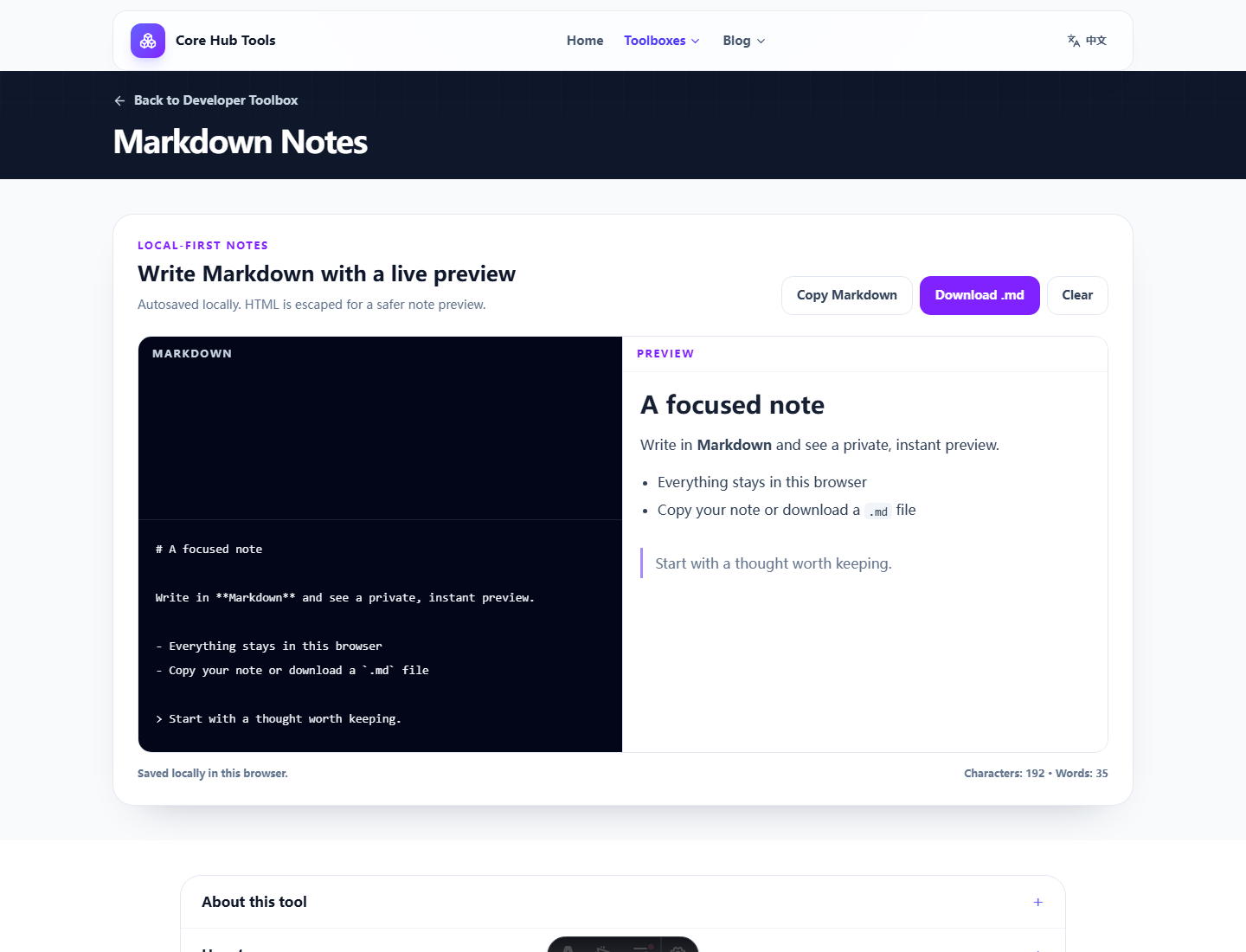
What it does well
It starts fast. You can write Markdown, check headings and lists, then copy or download the source without setting up a workspace. It is a good first stop before the content moves into a repository, knowledge base or publishing system.
Pros and cons
- Pro: simple writing surface with live preview.
- Pro: good for short structured drafts.
- Pro: copy and .md download make migration easy.
- Con: no collaboration, version history, sync or advanced Markdown extensions.
Who it fits
It fits developers, students and writers who need a temporary Markdown workspace. Important notes should be exported rather than left only in browser storage.
Verdict
Draft here, keep elsewhere. It is a front desk for writing, not an archive.
FAQ
Frequently asked questions
What should I know before choosing Markdown Notes?+
It is good for quick drafts, outlines, README sections and notes you plan to move elsewhere. It is not a long-term notebook or collaboration tool.
Are my notes uploaded?+
No. Notes are kept in local browser storage and are not sent to this site.
Does it support every Markdown feature?+
It focuses on lightweight notes: headings, lists, emphasis, quotes, code and links.