
Game guide/Free online strategy
Jianghu Pass
江湖山口
Build a mountain stronghold. Hold your ground.
A free online strategy game you can play without downloading. Build a stronghold, direct your workers and defend the pass against attacks from several roads.
Official game artwork
The game has English and Chinese interfaces. The free web edition needs a connection and includes advertising.
01 Gameplay
A free browser game with a stronghold to build
Looking for free games to play without downloading? Jianghu Pass is a free online strategy game for PC, laptop and mobile browsers. It combines stronghold management, real-time combat and defensive construction. You command Canglang Pass, establish supplies, assign Builders and direct Guards against attacks from several roads. No installer or game account is required for the web edition.
In Jianghu Pass, construction, people and combat affect one another. Wall placement shapes the space you defend; Builder assignments affect how quickly work gets done; remaining supplies determine what you can repair after an assault. The official site's core loop connects supply production, fortifications, direct command and recovery between attacks.
Four resources create meaningful tradeoffs
Timber, iron, herbs and silver support construction, upgrades, recruitment, repairs and emergency decisions. Storage limits and market exchange also shape your economy. Spending everything on expansion can leave less room for recovery, so logistics remains part of the defensive challenge throughout a run.
Builders travel to the work they perform
The official site describes Builders physically moving to construction, upgrade and repair jobs. Individual duties include general work, construction and upgrades, all repairs or one dedicated building. Choosing what to build goes hand in hand with deciding who can get there and which damaged position needs attention first.
Terrain gives your defenses their shape
Walls block routes, barricades slow charges, beacon towers provide sustained fire and watchposts help reveal threats. You choose positions on valid terrain and confirm placement before committing resources. For players who enjoy base building, the relationship between structures offers an additional layer of planning.
Multiple routes keep command decisions active
Blackstone enemies can target the Command Hall, steal supplies, burn production or demolish fortifications. Enemy deployments may overlap. Entrance warnings, deployment timers and the minimap help you identify a threatened route, redirect Guards and decide where Builders should repair next.
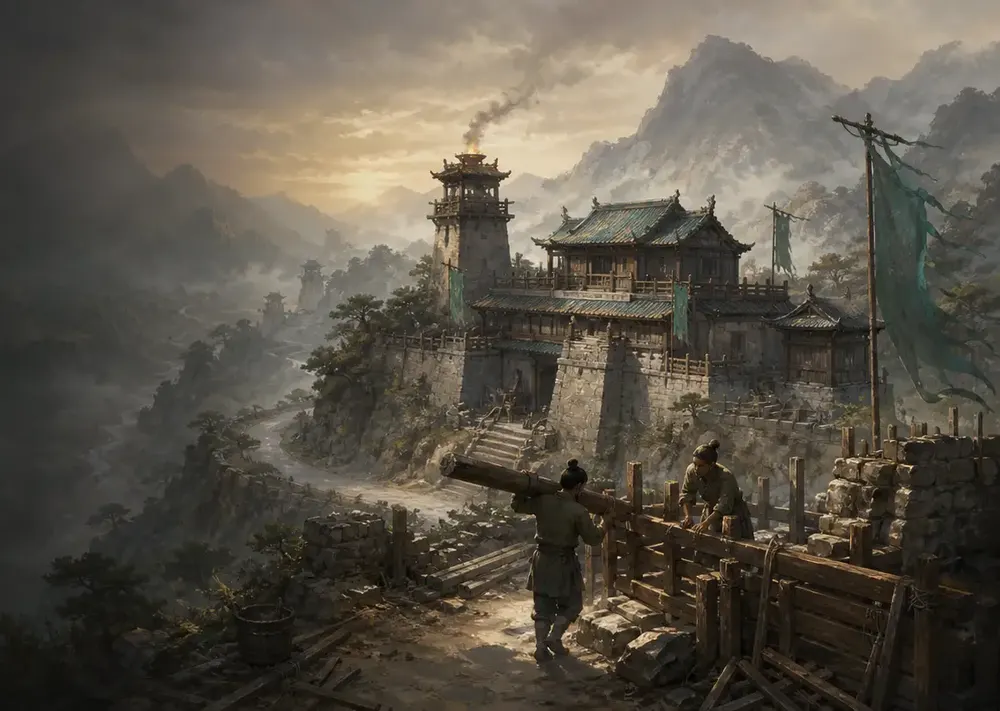
Stronghold management
Who is Jianghu Pass for?
Consider it if you enjoy historical-style stronghold defense, managing an economy while fighting, and experimenting with defensive layouts. The browser entry makes it easy to explore the systems, especially if you like spotting a weak position and adjusting your plan as a battle develops.
The systems described by the developer call for active decisions during a continuing siege. If you prefer fully idle play, fixed-lane defense or automatic progress syncing between devices, read the save and platform details below before starting.
02 Getting started
How to approach your first run
This suggested sequence is based on the official mechanics. It is an introduction to the systems, rather than a tested walkthrough or a guaranteed winning build.
Open the game and choose a local save
Use the online play link to reach the game. According to the official FAQ, a new run begins by choosing a local save slot, followed by your pass and faction. An account is not required.
Read the terrain and establish supplies
Identify the four resources, production facilities and valid construction areas. Follow the in-game guidance to develop supply lines while keeping repair and recruitment needs in mind.
Assign Builders and layer your defenses
Plan how walls, barricades and towers support one another. Check whether your Builders are constructing or repairing, and reconsider priorities when a threatened position needs urgent work.
Watch warnings and recover between assaults
Use entrance alerts and the minimap to track pressure across multiple routes. Move Guards toward threats, then use brief breaks to check damaged structures and the resources needed for recovery.
03 Platforms & saves
Play free on PC or mobile: browsers and saves
Desktop browser
To play for free on PC with no download, open the web edition in a modern browser. Desktop play uses mouse-driven commands; the developer recommends current Chrome, Edge or another modern Chromium browser.
Landscape mobile
The official site describes a landscape-first touch interface, including camera dragging, pinch zoom, edge-hold scrolling and touch construction. Begin by getting comfortable with the camera and placement controls.
Local progress
Progress is stored in browser storage on the current device and does not automatically sync elsewhere. Keep that location in mind before clearing site data, switching browsers or moving to another device.
Offline edition
Paid, ad-free offline packages for Windows and Android are planned. Purchases and public downloads are not open. Check the official page for future pricing, delivery and platform details.
04 FAQ
Jianghu Pass FAQ
Is Jianghu Pass a tower defense game or an RTS?
It combines defensive construction with real-time strategy and stronghold management. You also allocate resources, assign Builders and command Guards during continuing attacks from several routes.
Can I play Jianghu Pass for free with no download?
Yes. The free web edition runs in modern PC and mobile browsers without an installer or game account. It needs a connection and includes advertising. Choose a local save slot, then follow the pass and faction prompts.
Can my phone automatically continue my PC save?
No automatic cross-device synchronization is described by the developer. Saves stay on the current device, so opening the game on a phone or another computer does not automatically continue an existing run.
Can I download an offline edition for free now?
No. The planned Windows and Android offline packages are paid, ad-free editions, with purchasing and downloads not yet open. The currently available free edition runs online in a browser.